Overview
The Admin Dashboard in Clozd is a place to keep up with the program interview quota. Here you can see where the Buyer Interviews, Buyer Surveys, and Sales Rep Interviews are in the interview process. In other words, the Admin Dashboard is a quick glance of workflow analytics.
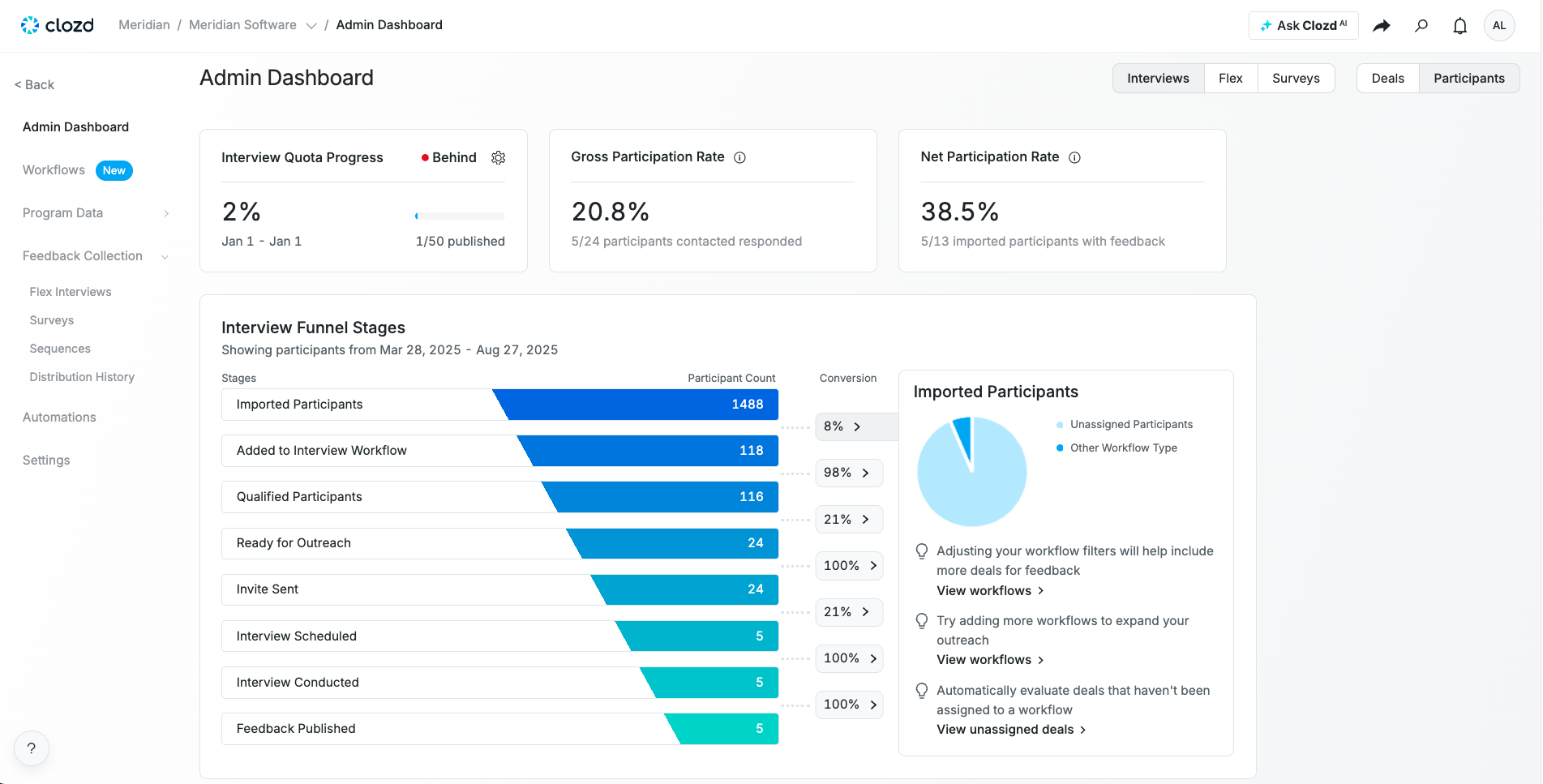
Note: Only deals that have gone through a workflow will show up in the Admin Dashboard.
Setting up the dashboard
If you haven't setup your Admin Dashboard, it will look something like this:
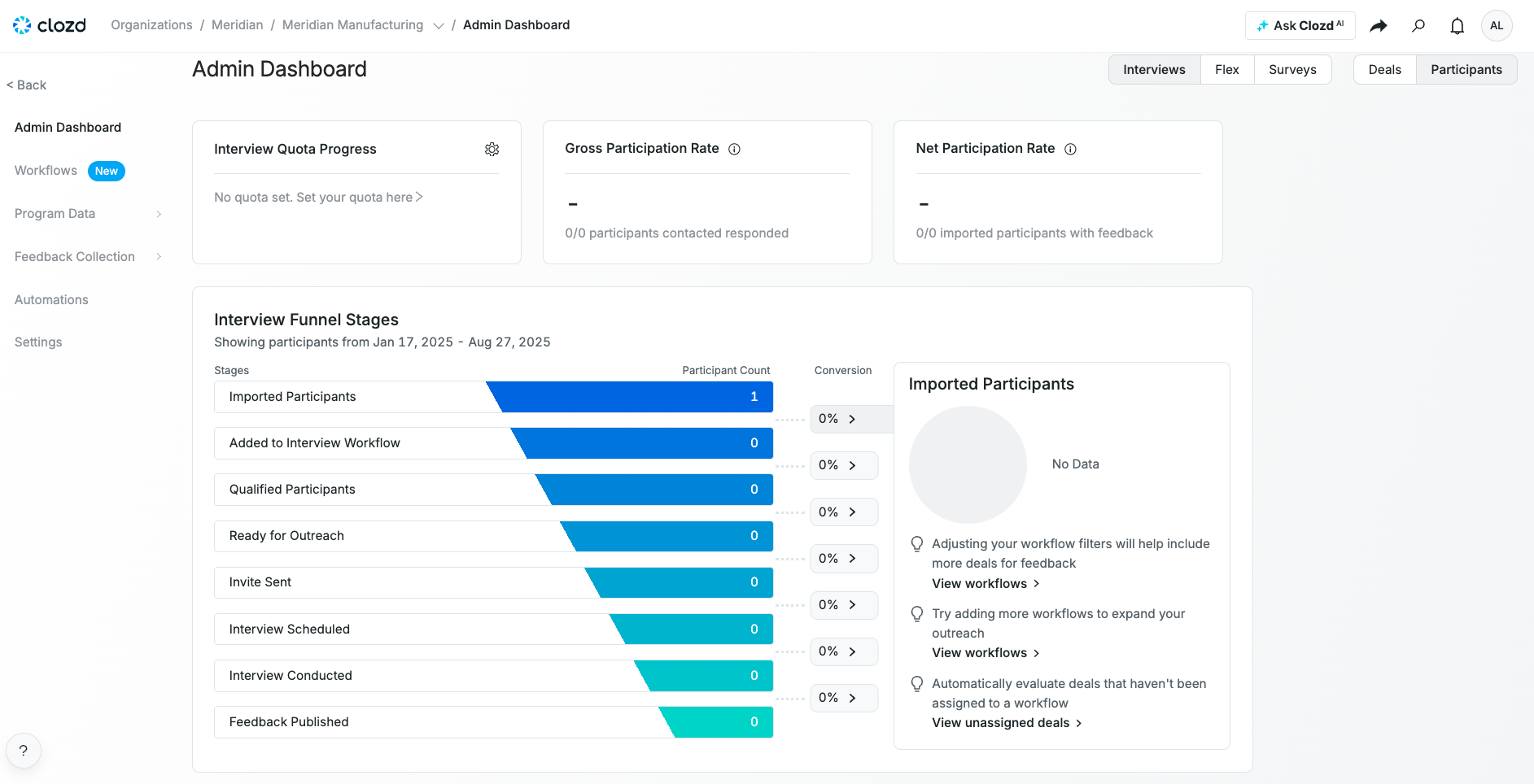
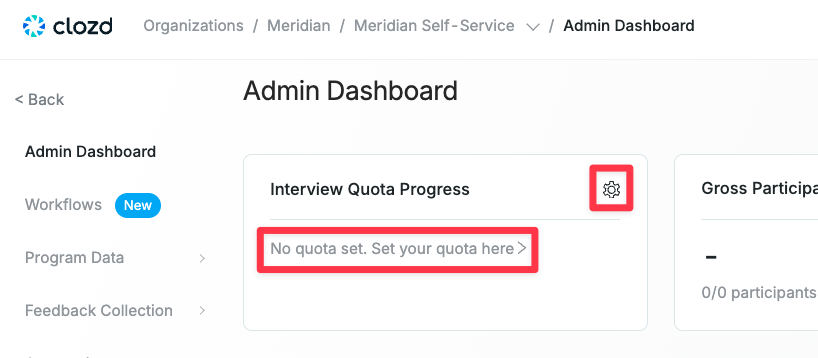
To get started:
- Select the gear by Interview Quota progress (You can also click on No quota set. Set your quota here>).
- Choose the number of interviews you want to have completed.
- Choose a Data Range.
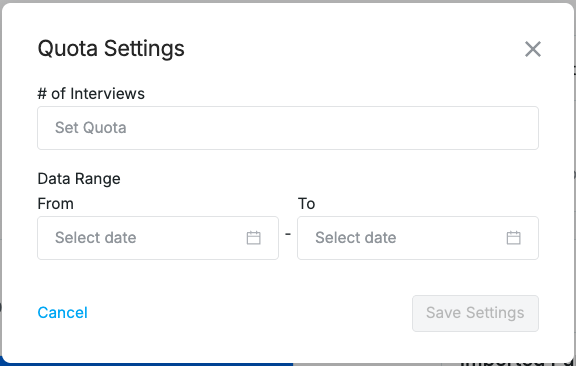
- Select Save Settings.
Navigating the dashboard
Now that you've set a quota, you will see the current progress of the 3 cards at the top of the page. Keep in mind that each view can be filtered by Interviews (Scale and Premium), Flex Interviews, and Surveys. You will need to set a quota for each interview type. You can also filter the Admin Dashboard by Deals and Participants.
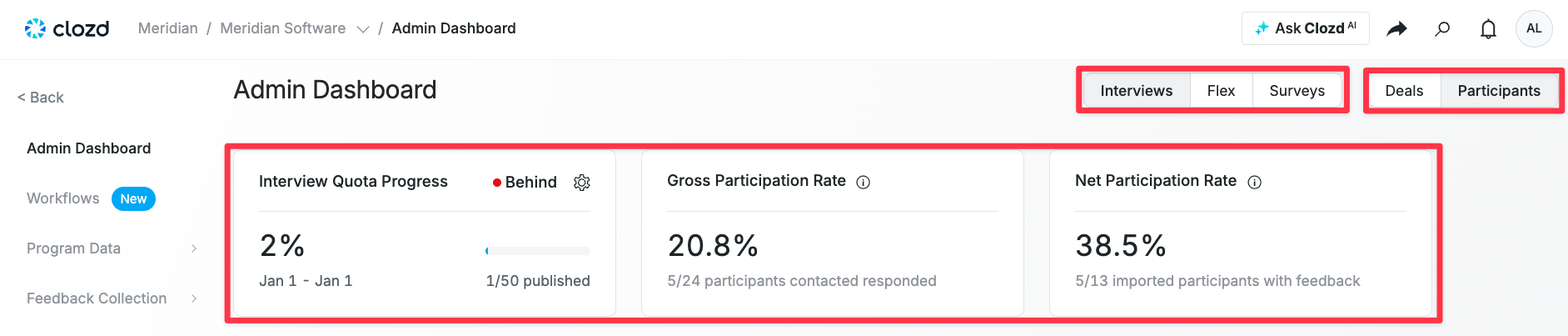
The Interview Quota Progress (found under the Participants tab) shows how many interviews have been published compared to your overall goal.
Gross Participation Rate and Net Participation Rate drive the Interview Quota Progress and appear in their own cards (also found under the Participants tab). These metrics show, respectively, how many contacted participants responded and how many imported participants provided feedback.
Pipeline Coverage shows up under the Deals tab, and shows the amount of imported deals and how many have been contacted.
Note:
- If a deal doesn’t go through a workflow, it won’t appear in the Admin Dashboard.
- If a workflow is deleted, the dashboard also loses that data, making the published deal count/funnel numbers inaccurate.