
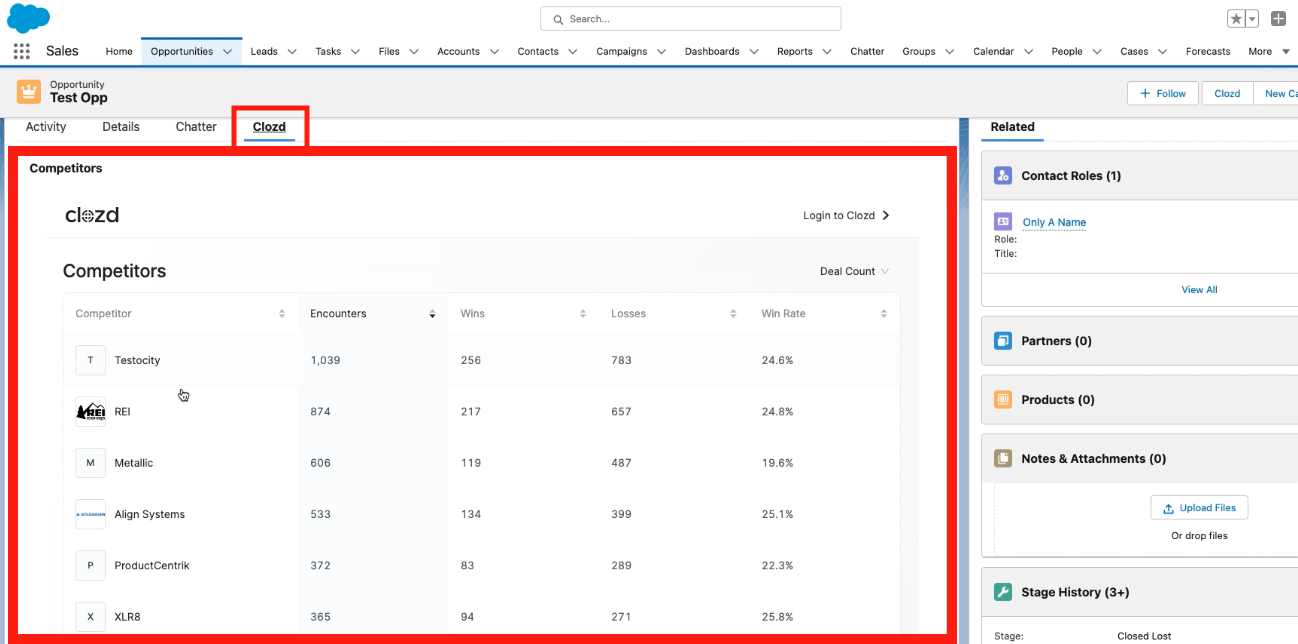
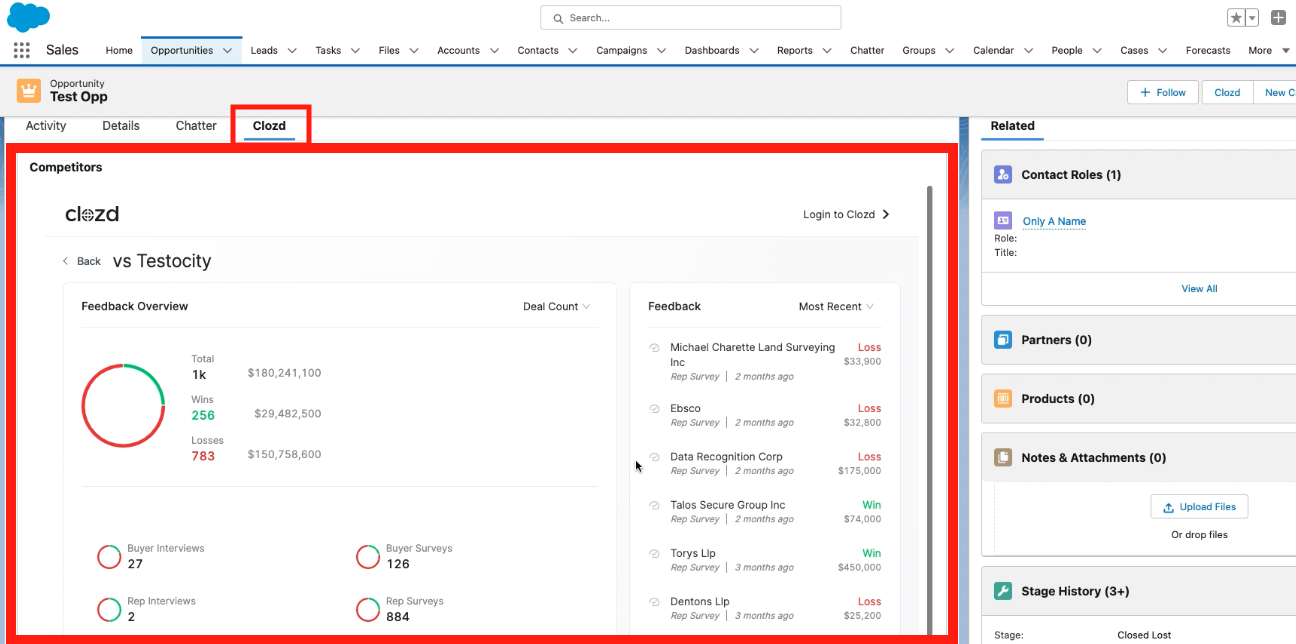
When enabled by an administrator, a new "Clozd" tab will appear in your Salesforce opportunity displaying the Clozd Competitors tab.
This article contains the following sections:
Related article:
iFrame introduction
An iFrame, also knowns as Inline Frame, is an element that loads another HTML element inside of a web page. They are commonly used to embed specific content like videos, tags, or other interactive elements into the page.
In this specific use, you have the ability to interact with the Clozd Competitors tab within your Salesforce instance.
Benefits
This enables sales reps and other Salesforce users who don't have login access to the Clozd Platform to view relevant win-loss information as they are working on live opportunities.
iFrame setup
1. Download the managed package
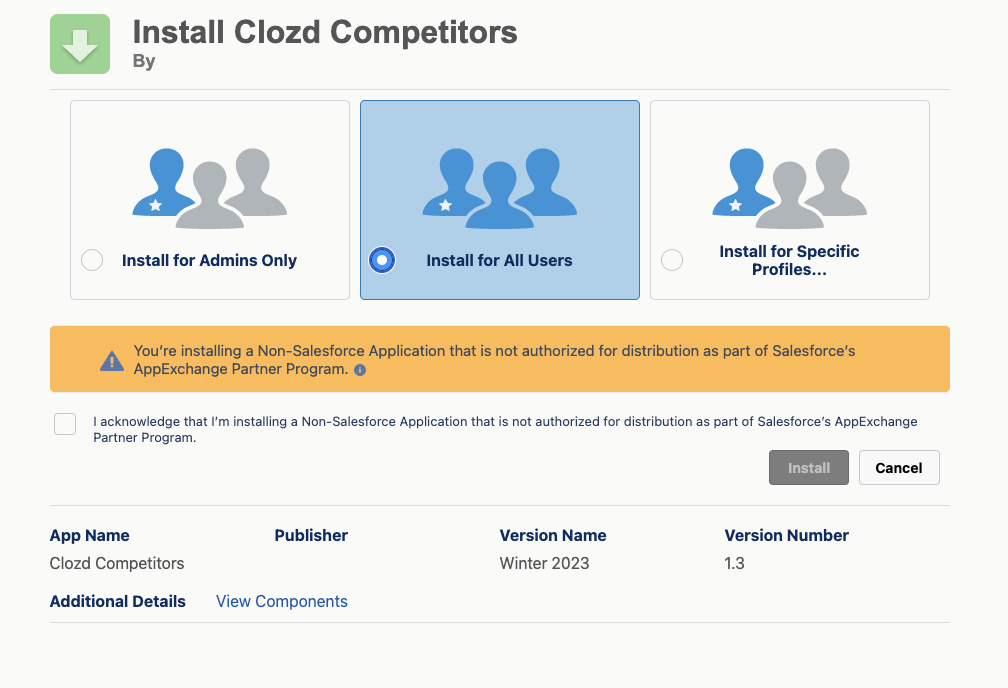
2. Go to setup
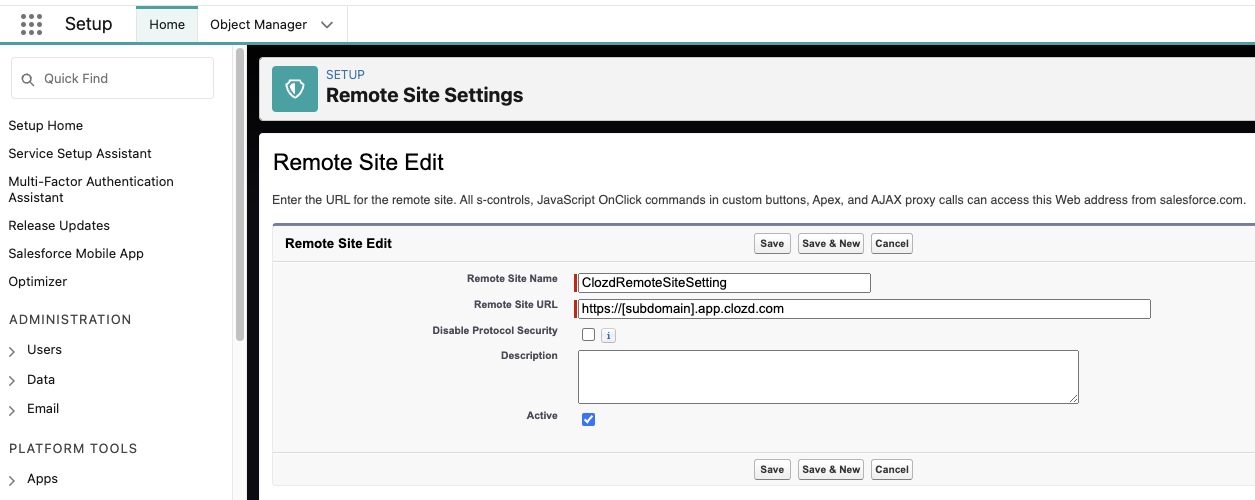
- If your Organization has a subdomain associated with your Clozd Account -> Create a Remote Site Setting and enter the associate URL for the "Remote Site URL" section.
-
URL: https://[subdomain].app.clozd.com
- For example, if I was a part of the Meridian organization and our login URL had a subdomain, I would add https://meridian.app.clozd.com as the Remote Site URL.
-
- If your Organization does not have a subdomain associated with your Clozd Account, please skip this step.
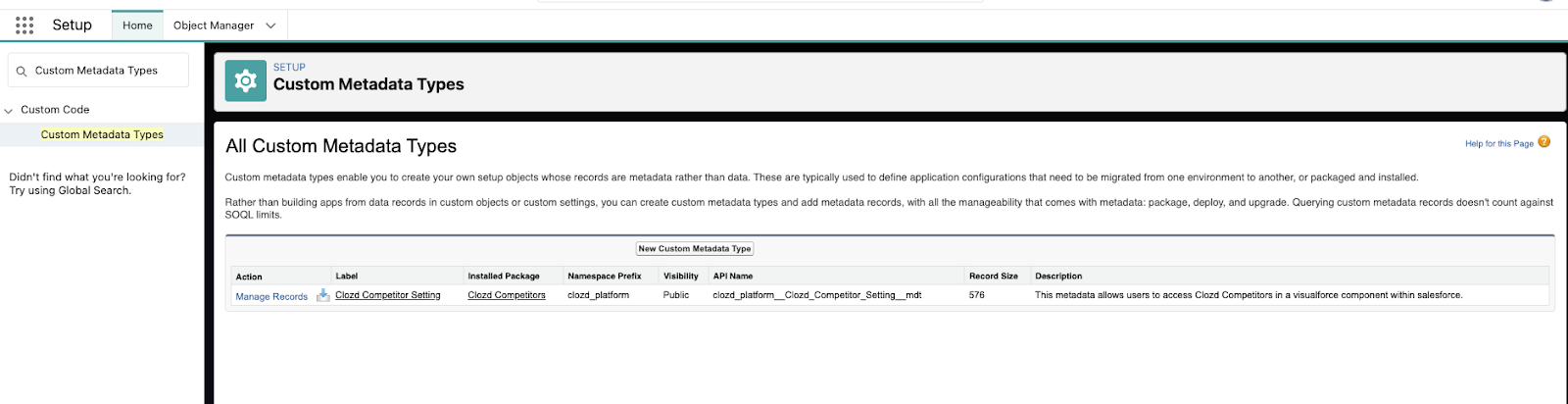
- Create a Custom Metadata Type Record
- Click Manage Records on the Clozd_Competitor_Setting metadata type
-
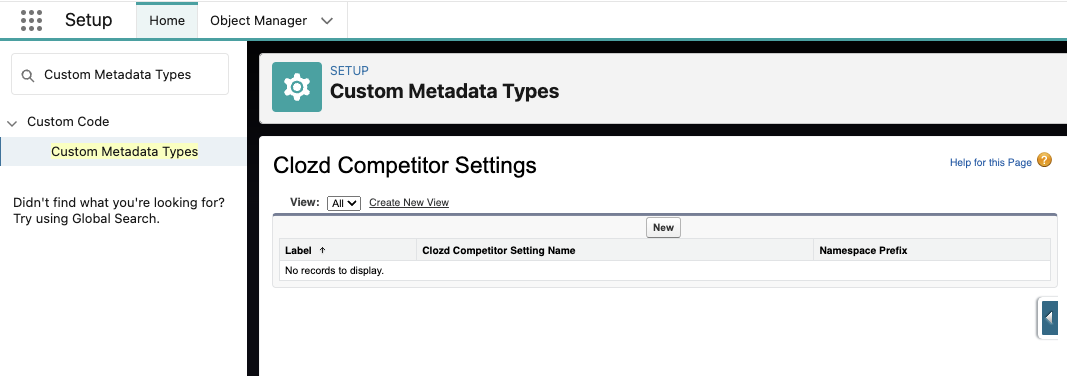
- Click New to create a new Metadata Record
-
-
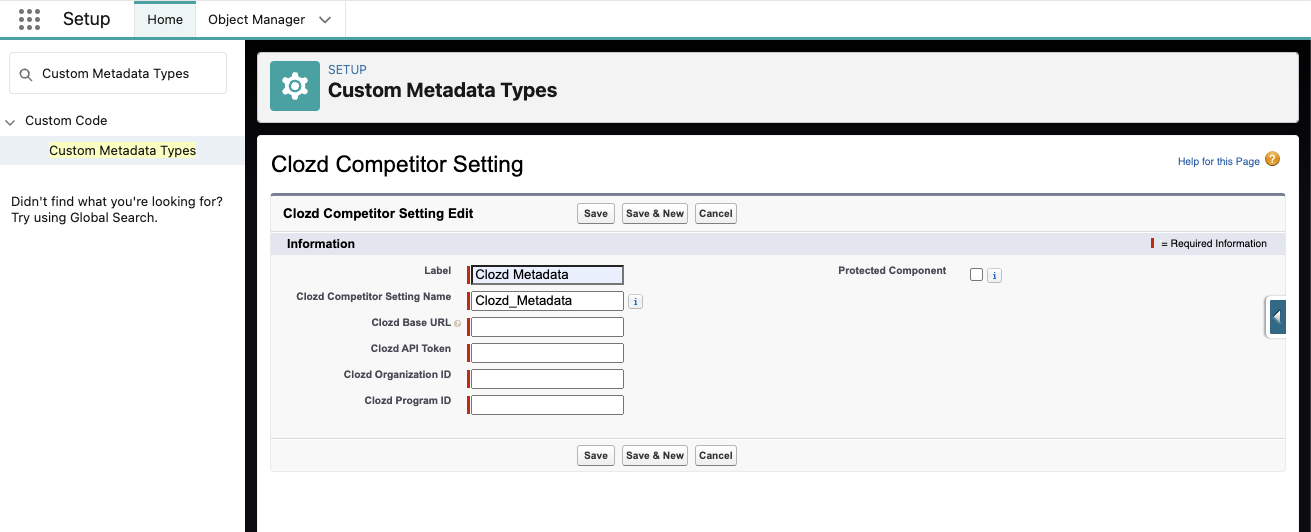
Add required fields (Base URL, API Token, Organization ID, and Program ID):
-
The Clozd Base URL will be the same as the Remote Site URL that was added in Step 2. If you skipped Step 2 earlier add, https://app.clozd.com for the Base URL value.
-
To locate your organization's API tokens, Organization ID, and Program ID within the Clozd Platform:
- Make sure the API Imports setting has been enabled for your organization.
- Click on your initials icon at the top right corner of the screen.
- Click Settings.
- Scroll down to the API Token section.
- Generate the API Token.
- Here you will see the Organization ID as well as the Program ID for each program your organization has established.
-
-
Click Save
-
Step 3:
-
-
Assign users to the Clozd Competitors Permission Set:
- Click on the permission set
- Click Manage Assignments
- Click Add Assignment button
- Select the users you would like to have access
-
Step 4:
-
-
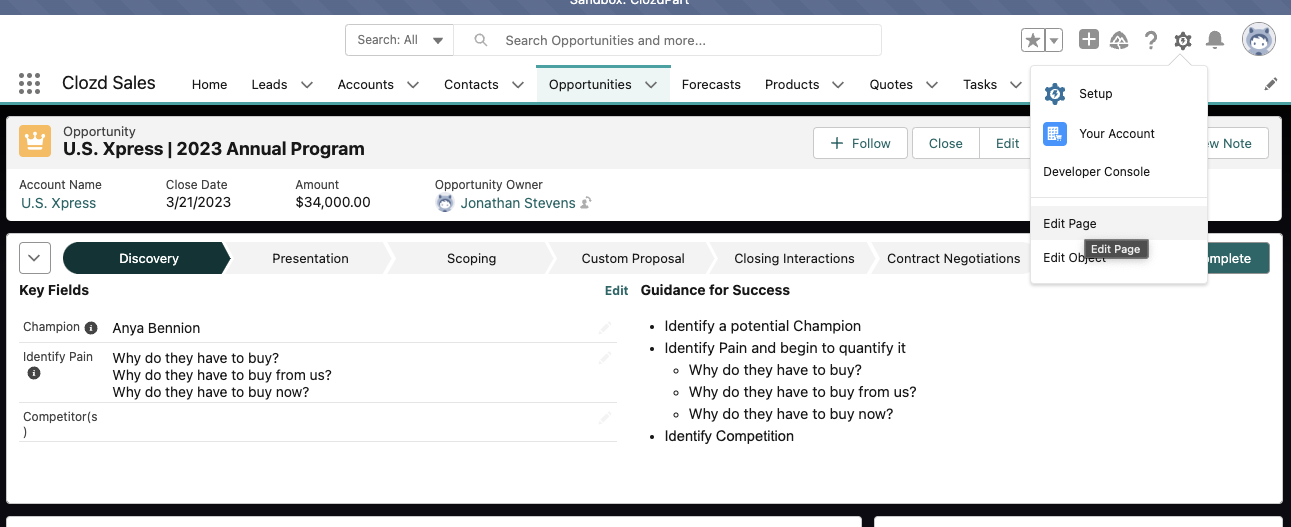
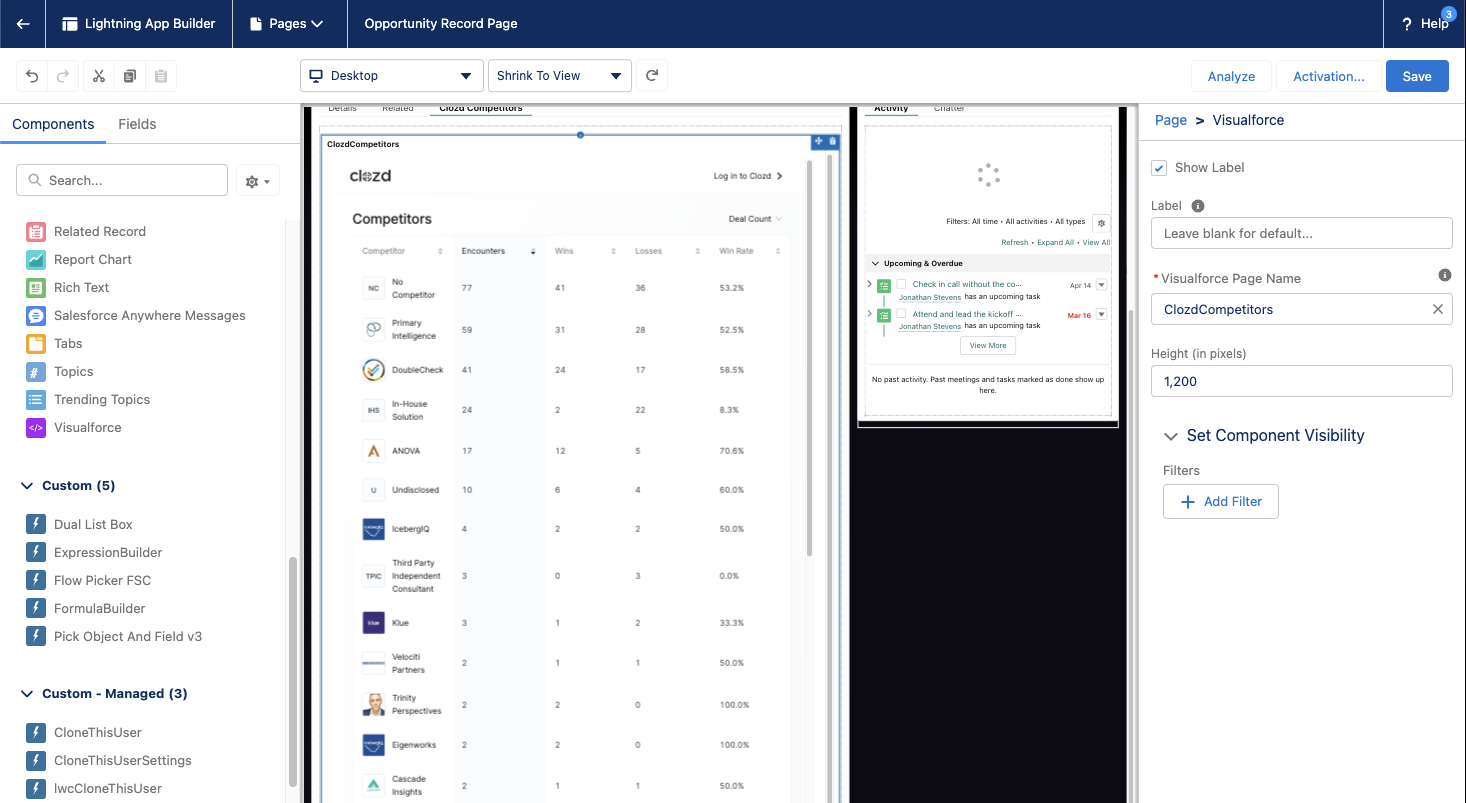
Visit the page on which you want to display “Clozd Competitors”
- Edit Page
- Add “ClozdCompetitors” Visualforce Item to Desired Location
a. Recommended Height: 1200px
-
If you have any additional questions, please reach out to support@clozd.com