
Overview
The Glossary is used to clarify company-specific terms and jargon. It ensures that company-related language is accurately identified and transcribed during interviews. This article contains the following:
Adding terms
Adding terms to the Glossary is an important way to clarify specific names and company jargon to make sure they show up correctly in interviews. To add a term to the glossary:
- Click on the Configuration tab.
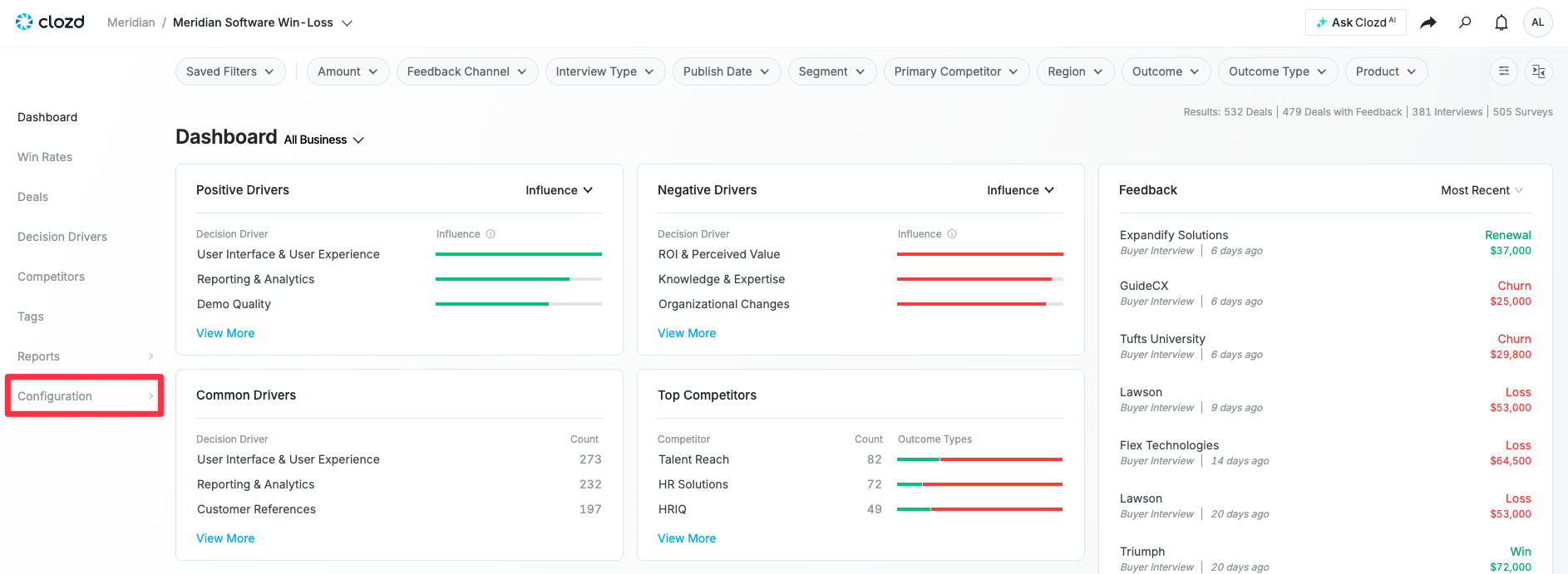
- Click on Settings.
- Click on Glossary.
- Click in the text box at the top of the screen, and type whatever word you'd like to add to the glossary. (e.g., adding "Clozd" to not have it mixed up with "closed").
- Click on the blue + icon.
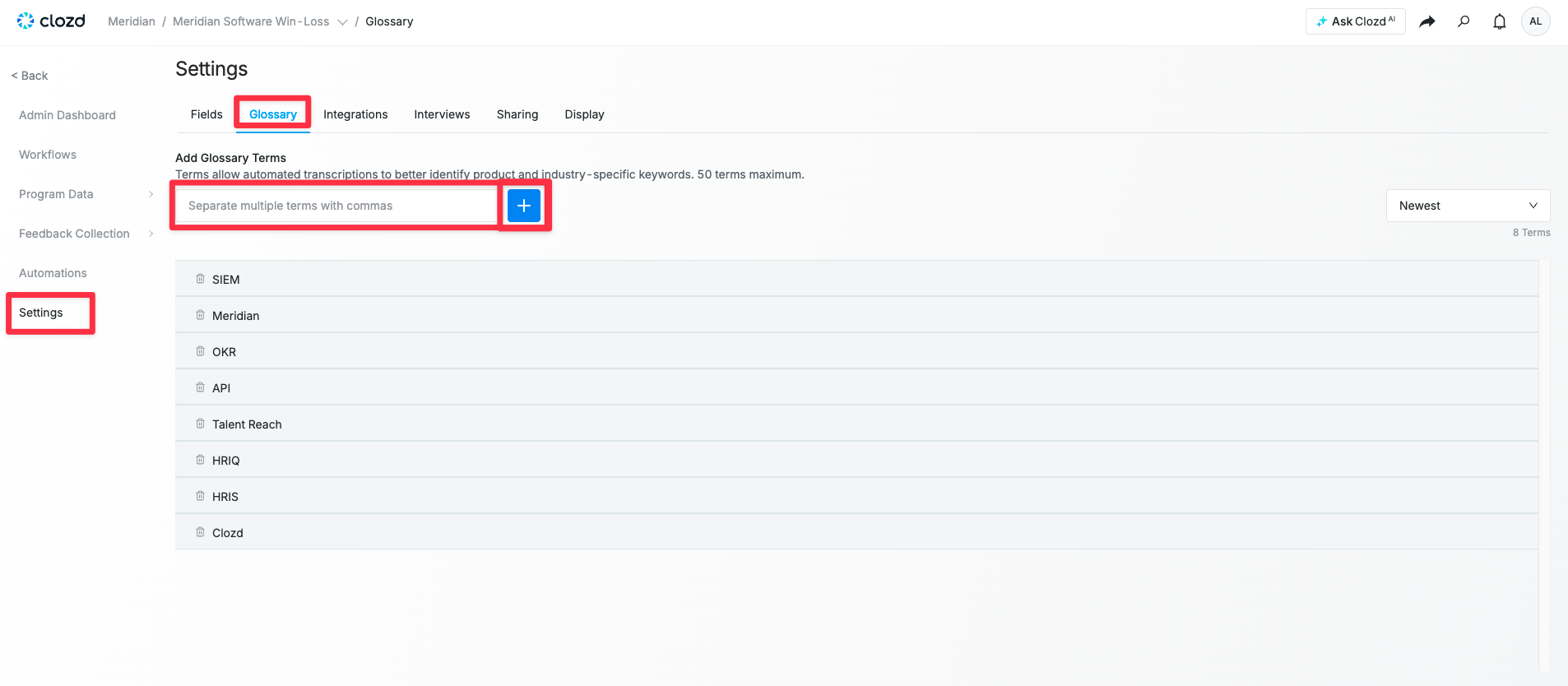
Note: If you want to add multiple terms at once, separate each term with a comma to add them as a list.
Deleting terms
To delete an existing term from your glossary:
- Click the trash icon to the left of the term you'd like to remove.
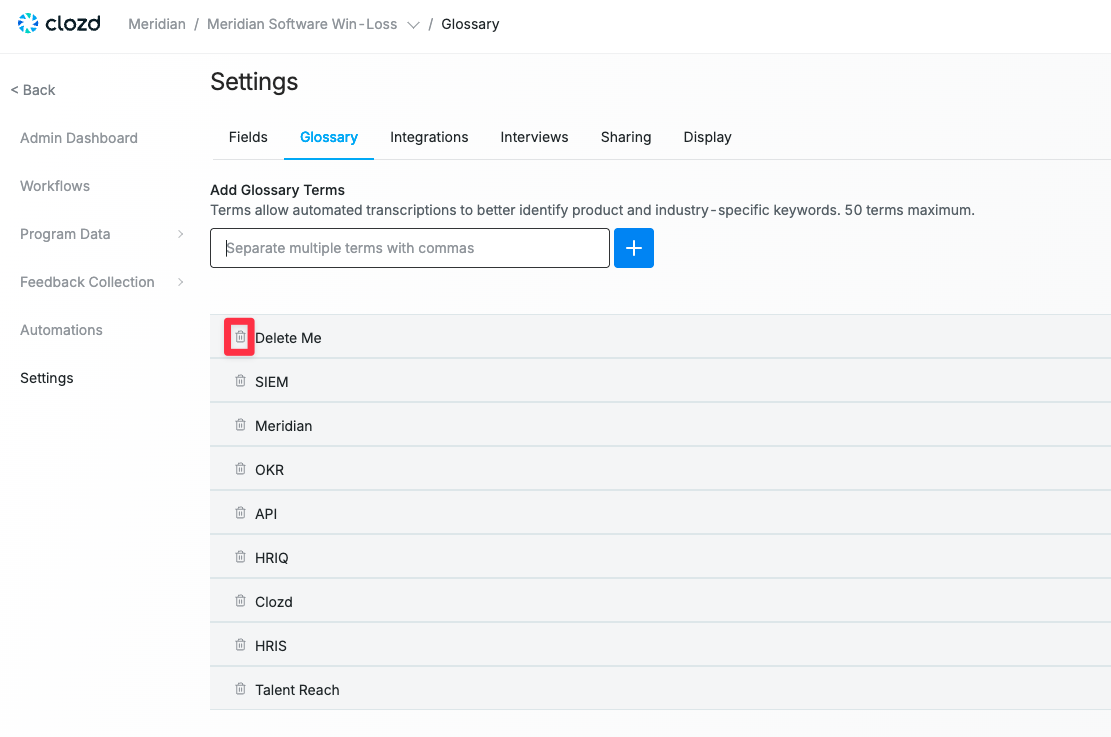
Note: If a term is accidentally deleted from the Glossary, it can be added back manually at any time.
Questions?
For additional questions about the Competitors tab, please contact support@clozd.com.