
Managing users overview
Administrators can manage how users can view, manage, or access data within your organization's Clozd Platform. Role-Based Access Control (RBAC) refers to the system designed to manage user access and assign permissions within an organization based on their roles and responsibilities. RBAC is tailored to enhance security, improve operational efficiency, and ensure that each member of your team has access to the necessary tools and data to perform their roles effectively.
RBAC roles are created to reflect the diverse functions and responsibilities within your organization, encompassing a variety of permissions like viewing, editing, or managing specific data and reports. Users are then assigned these roles, which determine their access and interaction capabilities within the Clozd Platform. This article contains the following sections:
Benefits
Leveraging RBAC streamlines user management and ensures a secure and compliant operational environment. A few examples of the benefits are:
- Improved Security: By implementing the principle of least privilege, RBAC ensures users have access only to the resources necessary for their roles, significantly reducing the risk of unauthorized data access and potential security breaches.
- Efficient User Management: RBAC simplifies the process of managing user permissions, which is beneficial in organizations with a large number of users or frequently changing roles. This efficiency is crucial for both onboarding new employees and modifying access for existing ones. Fully automate and streamline this user management by enabling single sign-on (SSO).
- Enhanced Compliance: RBAC supports compliance with various regulatory standards by providing a clear audit trail of who has access to what resources. This transparency is vital for meeting compliance requirements and conducting effective audits.
- Increased User Usage: Deliver the win-loss feedback insights Clozd uncovers to the desired parties by provisioning access to as many users as preferred.
- Decreased Potential for Error: By automating the assignment of user permissions based on roles, RBAC reduces the likelihood of human error in manual access assignments, enhancing overall system integrity.
RBAC setup
Note: In order to complete the configuration, you will need to be an Admin for your organization
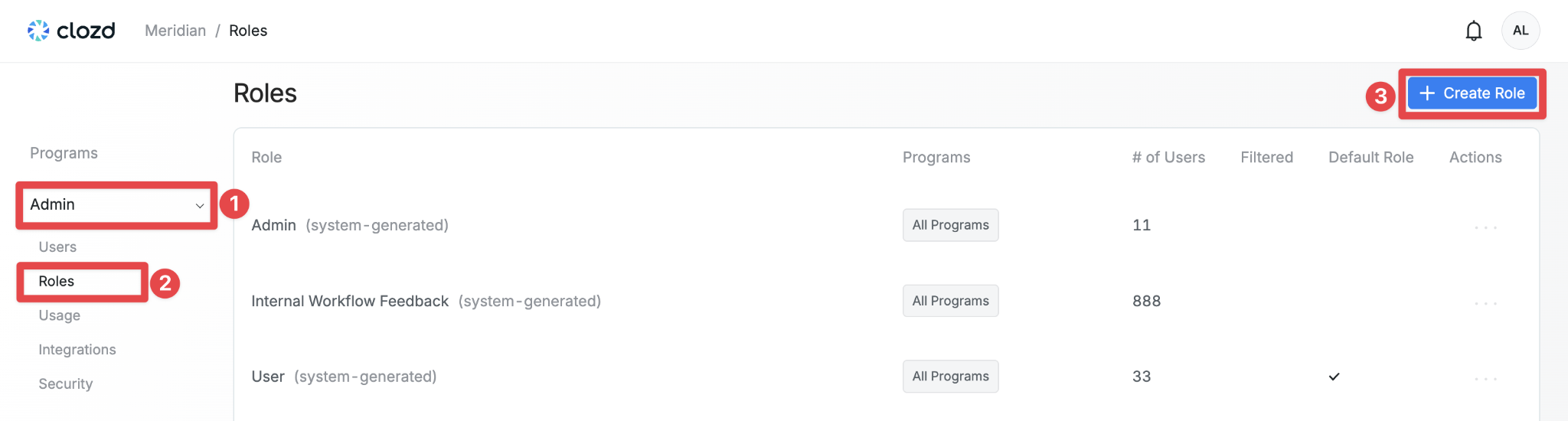
1. Navigate to the Admin section located in the left-hand navigation menu. Once there, expand the dropdown and select Roles to proceed.
2. Click on the + Create Role button located in the top right-hand side of the page.
3. Name the role and select which programs this would affect. When finished, click Next.
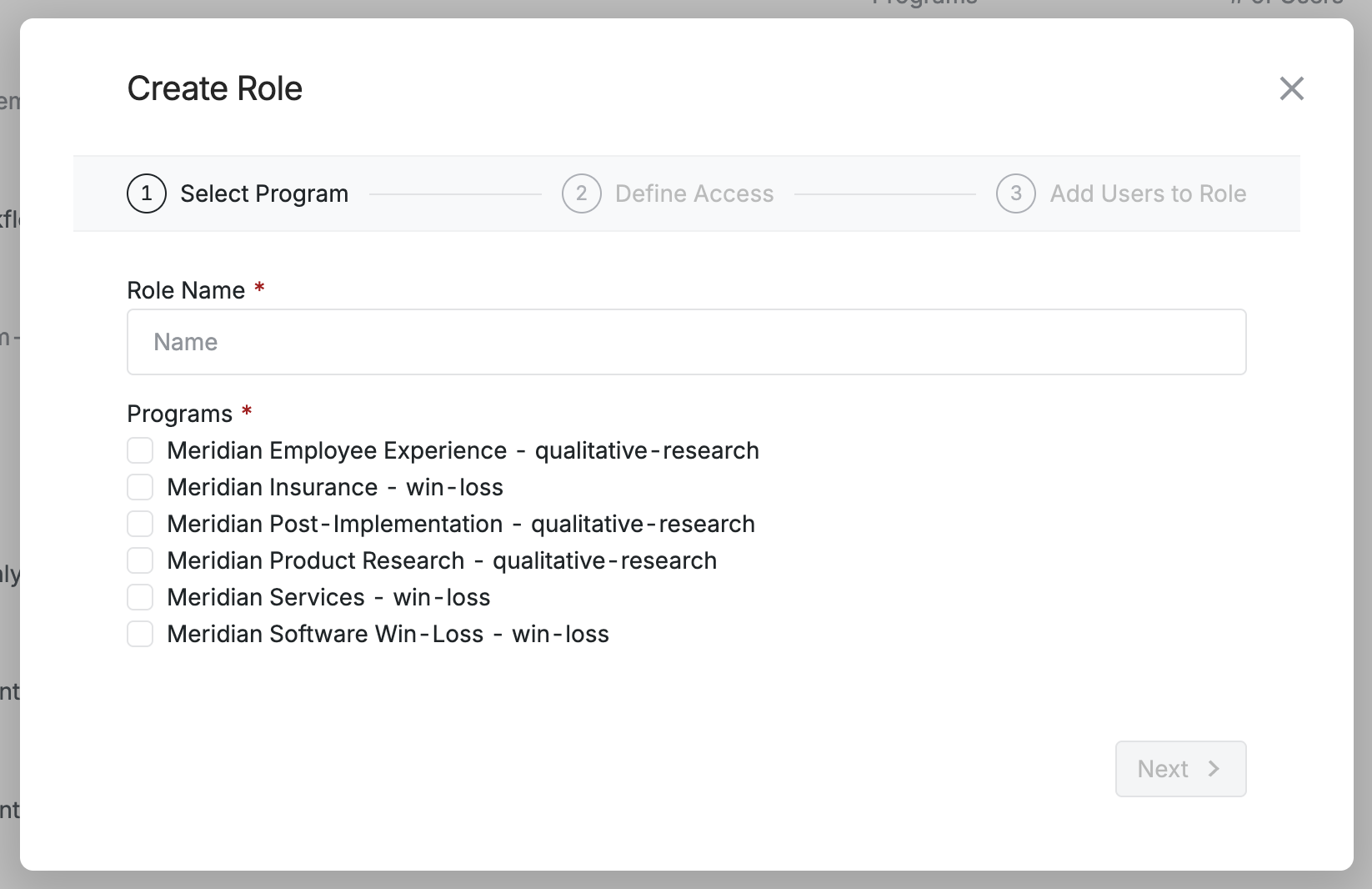
Note: The access for the user will change depending on if you choose a qualitative research program or a win loss program.
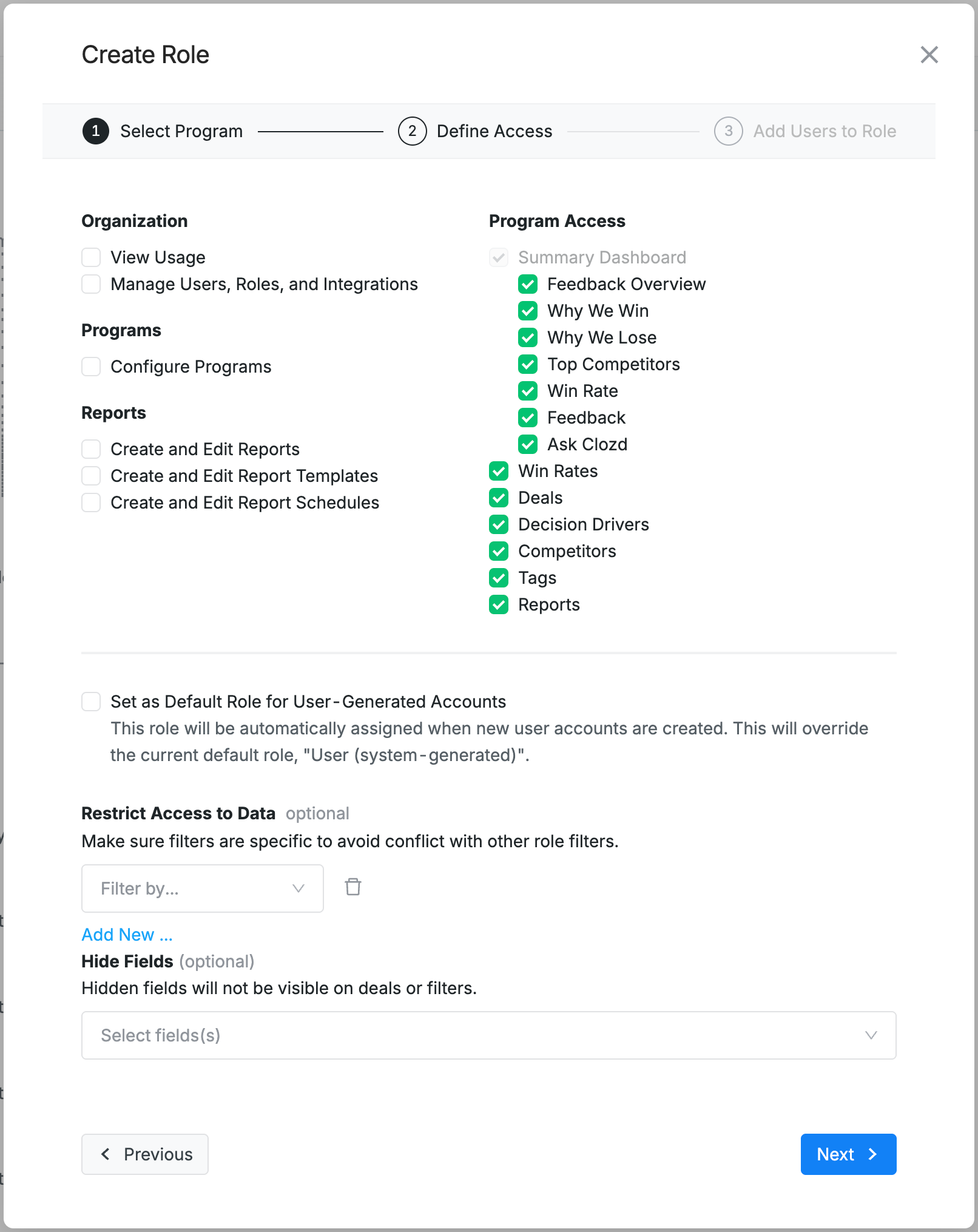
4. Define the access for this user. For a further breakdown, refer to the points below.
For a win loss program, you’ll see the following:
For a qualitative research program, you’ll see the following:
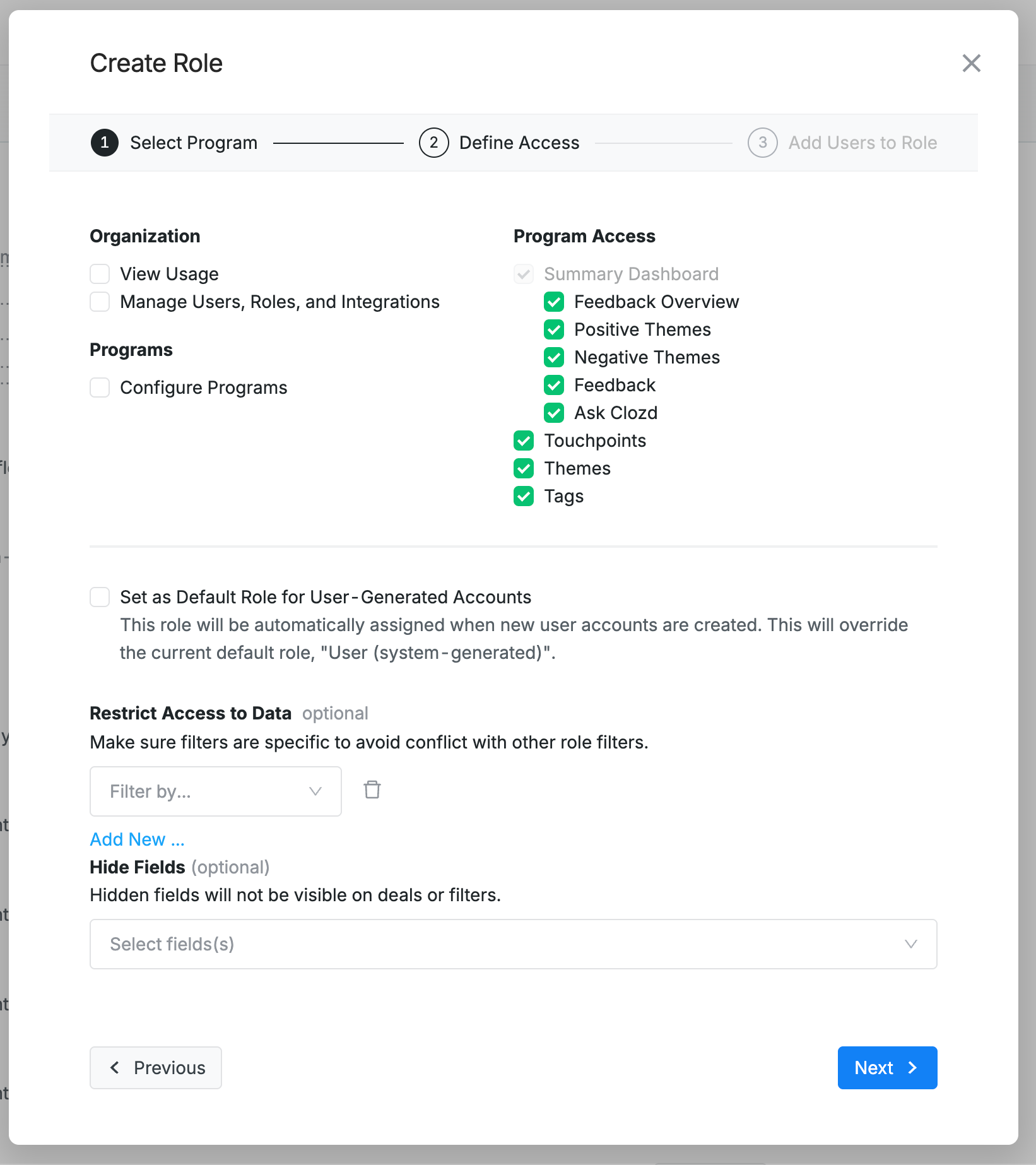
- Organization: Define if the role can view user usage details or manage other users, roles, and integrations.
- Programs: Can create/edit programs or approve distribution lists (see Automated Distributions).
- Reports: Can create and edit reports.
- Program Access: Define if the role will have the ability to view any of the tabs or components of the Clozd Platform. For example, if the Win Rates checkbox is unchecked, the user will have this entire tab hidden from their view.
- Default Role: When checked, any new user added to the Clozd Platform will be assigned this custom role. The Clozd default role is always User unless otherwise specified.
- Restrict Access to Data: Restrict the deals and data that users have access. For example, if you want a user to only have access to view deals related to the EMEA region, you can hide all deals except for ones that involve EMEA.
- Hide Fields: Hidden fields will not be visible on deals or filters. For example, if the Sales Rep Name field is hidden, the user will be able to view the deal but that specific field will be hidden from view.
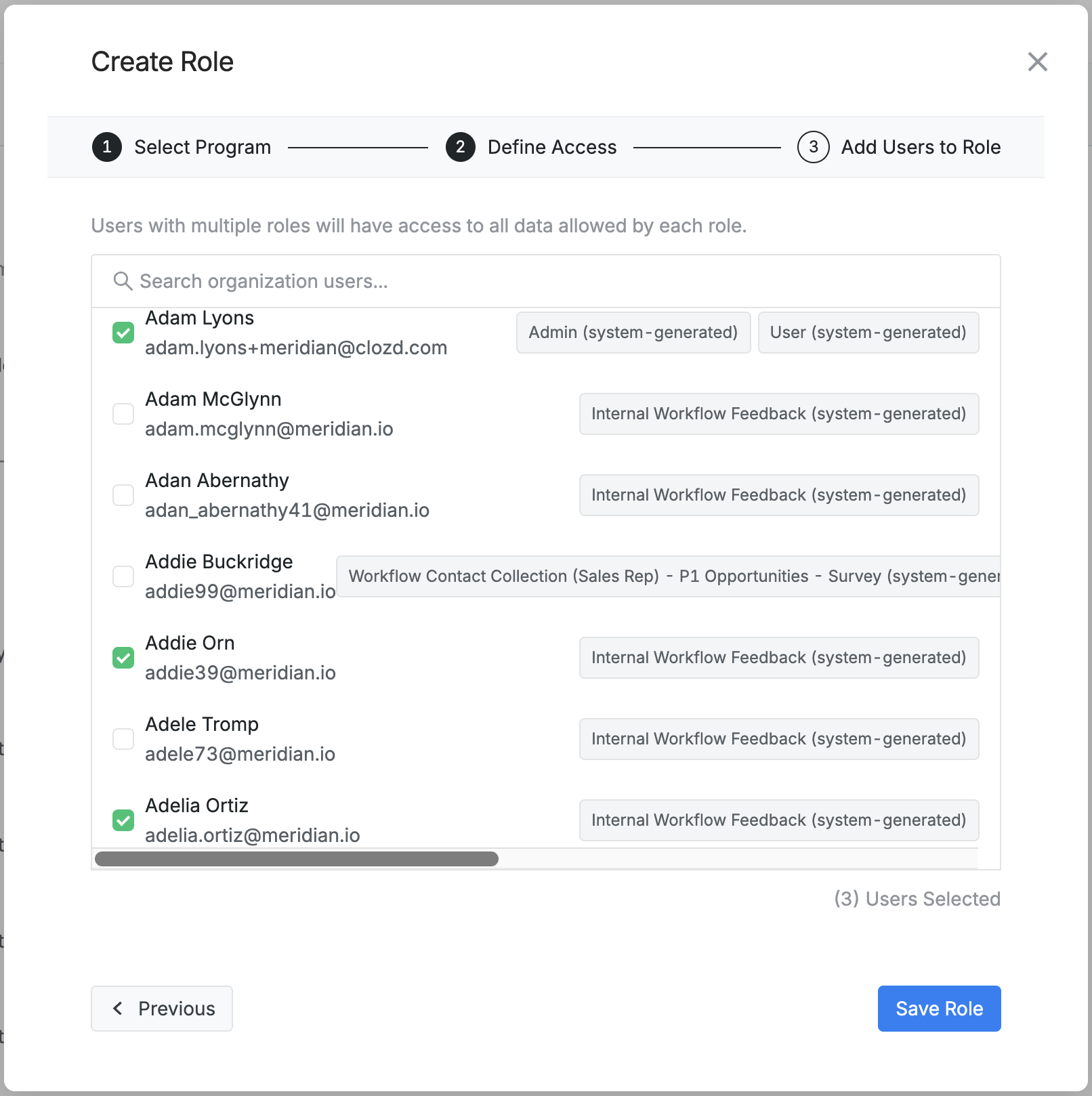
5. Assign the custom role to desired users. Once finished, click Save Role.
Questions?
For questions about the fit of RBAC for your Clozd Win-Loss Program, please contact your Clozd Program Manager.
For questions about the RBAC functionality or troubleshooting, please contact support@clozd.com.