
Overview
When you first log in to the Clozd Platform, you’ll see a navigation bar on the left-hand side. Below Programs is the Admin tab (visible only to your organization’s admins), which allows admins to add users, edit user roles, and monitor your organization’s platform usage.
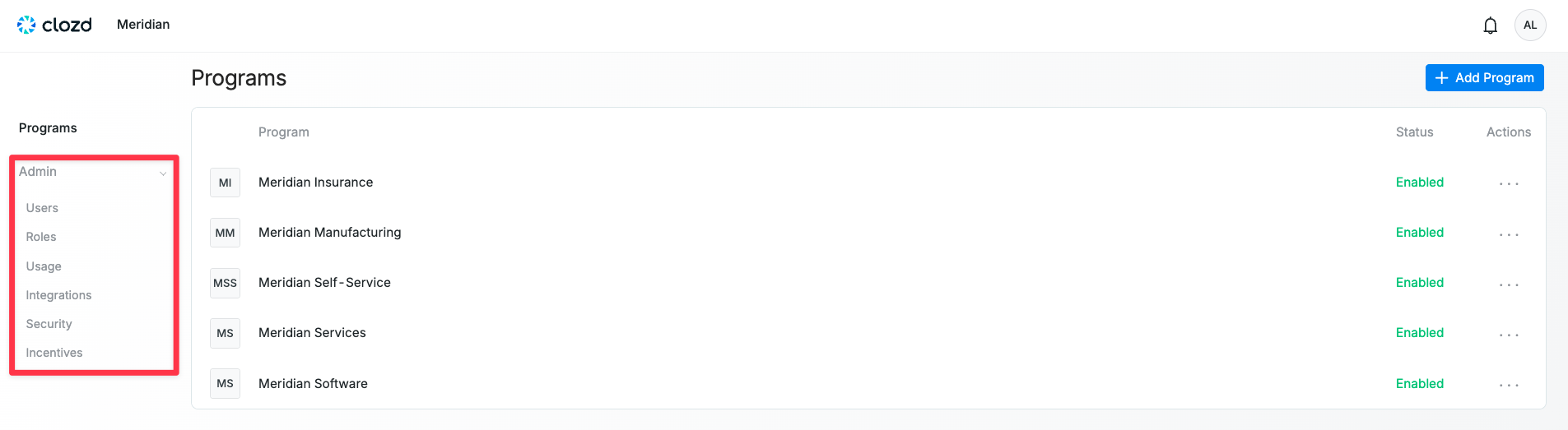
This article contains the following sections:
Related articles:
- Managing Users
- Managing User Roles
- Managing Usage
- Role-Based Access Control
Users
See all users within the organization and their statuses, notification settings, roles, last login, etc. For more information, see Managing Users.
Roles
Manage the roles and permissions for each user. For more information, see Managing User Roles.
Usage
See how often users log in to the Clozd Platform. For more information, see Managing Usage.
Integrations
This is where admins can view a list of services that are integrated with your organization. To see the integrations available to your organization, go to Admin → Integrations. Select Settings on the right-hand side of the integration to configure or set it up.
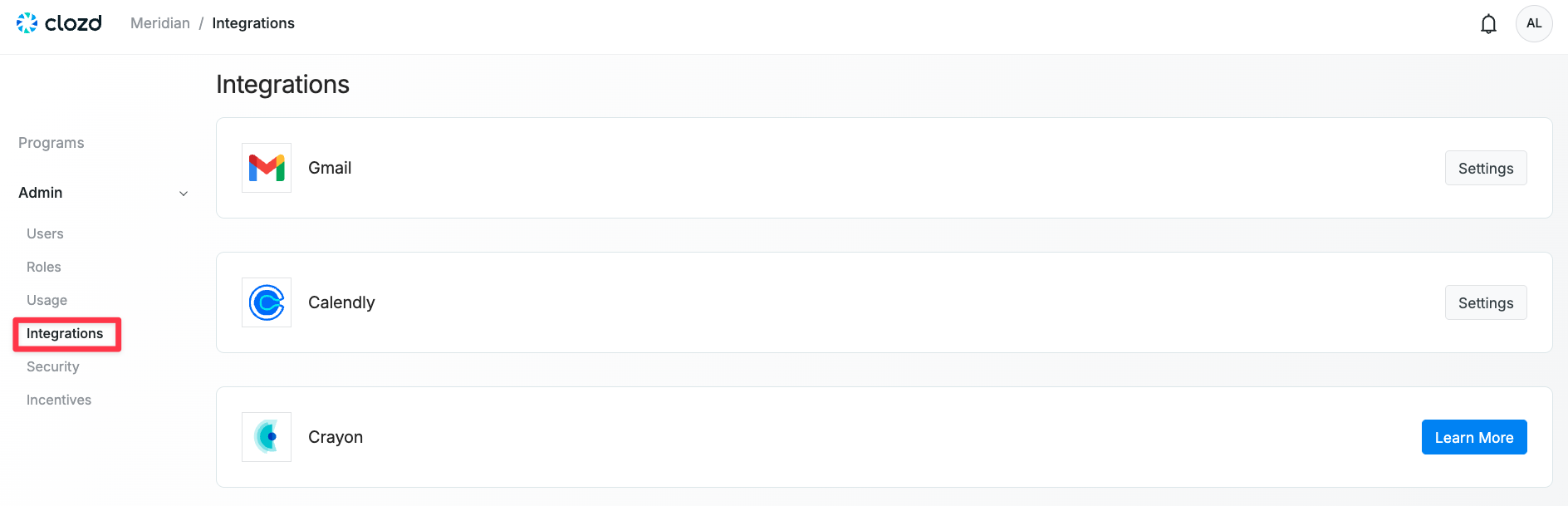
The Gmail integration is required to automatically unenroll participants who respond to your email outreach or schedule an interview. When Gmail is integrated for a specific user, any participant who replies to that user’s email will be automatically opted out of future emails in the sequence.
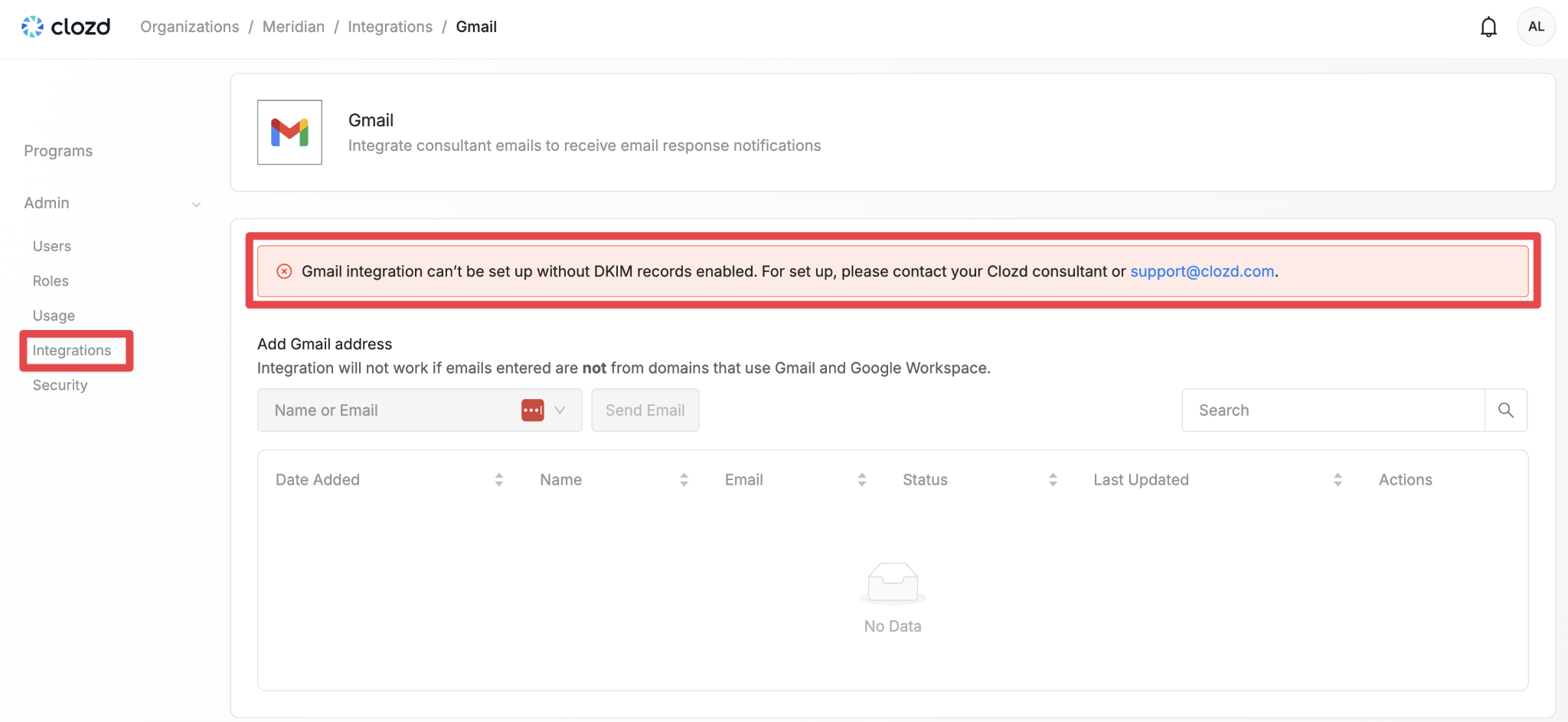
Before your organization can integrate with Gmail, DKIM must be set up. If DKIM isn’t configured, you’ll see the following error:
The Calendly integration allows an admin to add a link to a sequence, generates personalized links, and removes people from outreach that have already scheduled. If Calendly is not integrated, participants who schedule interviews will need to be manually removed from outreach.
Note: The Calendly integration requires at least a standard license.
The Crayon integration connects win-loss interview and survey data from Clozd directly to your Crayon workspace. If you have access to Crayon, reach out to your Crayon customer success manager (CSM) to get the integration set up. Once enabled, you can add Clozd insights to battlecards, newsletters, and other Crayon assets with a single click. Crayon automatically indexes Clozd summaries, allowing you to identify competitor trends using keyword and word-cloud tools, set up saved searches that include Clozd transcripts, and push those insights into Compete Hub for real-time updates to sales teams. Crayon runs a daily sync with Clozd to ensure that new data is kept up to date. This sync is fully controlled by Crayon, including when their system calls the Clozd API.
Note: Clozd does not manage or maintain this integration. If you have any questions or concerns about setup, functionality, or data syncing, please contact Crayon directly.
Security
In the Security section under the Admin tab, the Enforce Password Expiration setting allows admins to require users to create a new password every specified number of days (when toggled on). This feature can be turned on or off depending on your organization’s preference.
The Audit Log allows admins to view events occurring within their organization, along with details such as the Date & Time, User, Email, Event, Severity, and Action. It also displays which users have made changes to workflows.
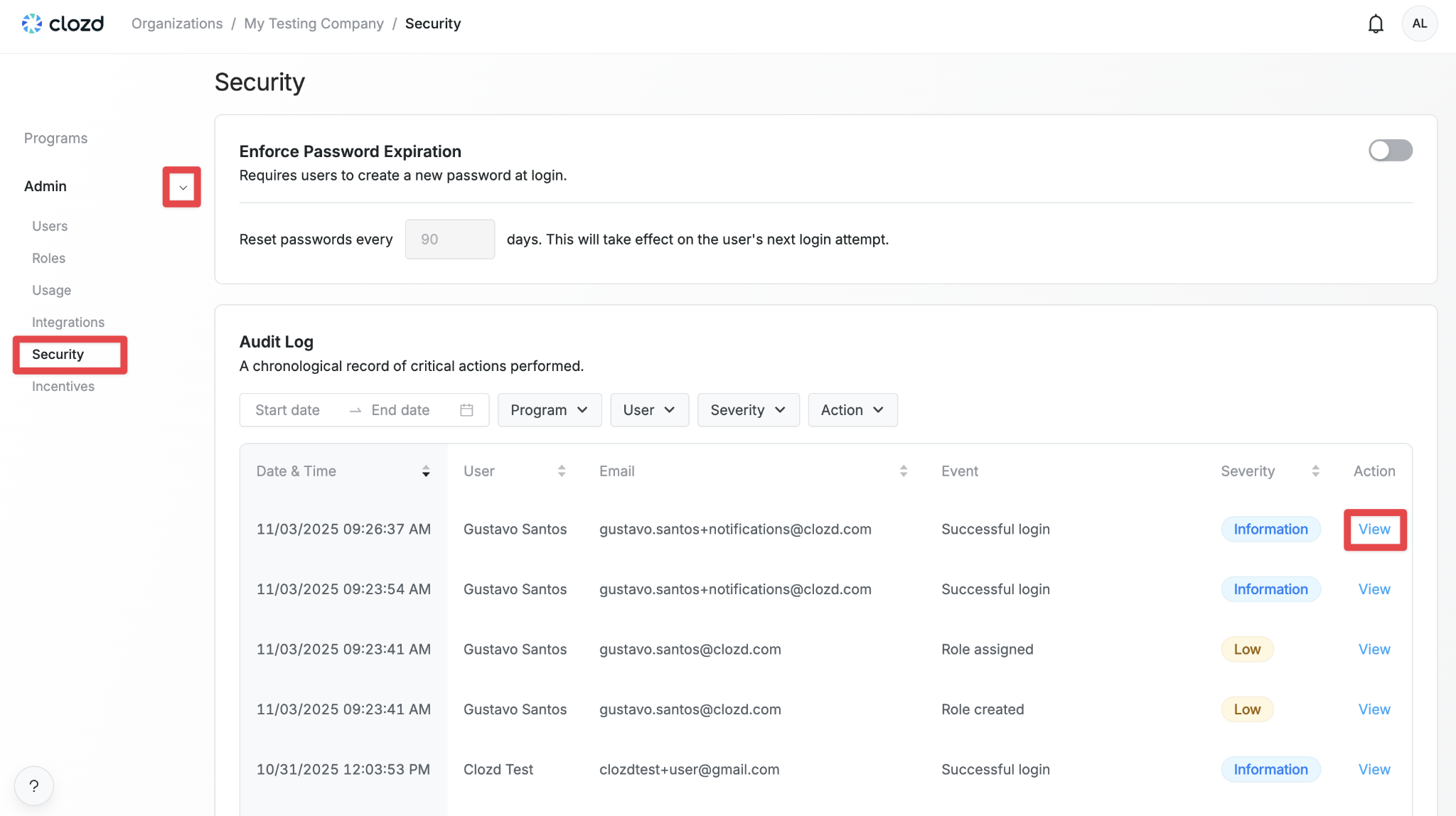
When you click View on the right-hand side of an event, a pop-up appears showing the event details and the Roles of the user who initiated the event. If the event relates to workflows, an Affected column will also appear, displaying the workflows, distributions, and users impacted (depending on the event type).
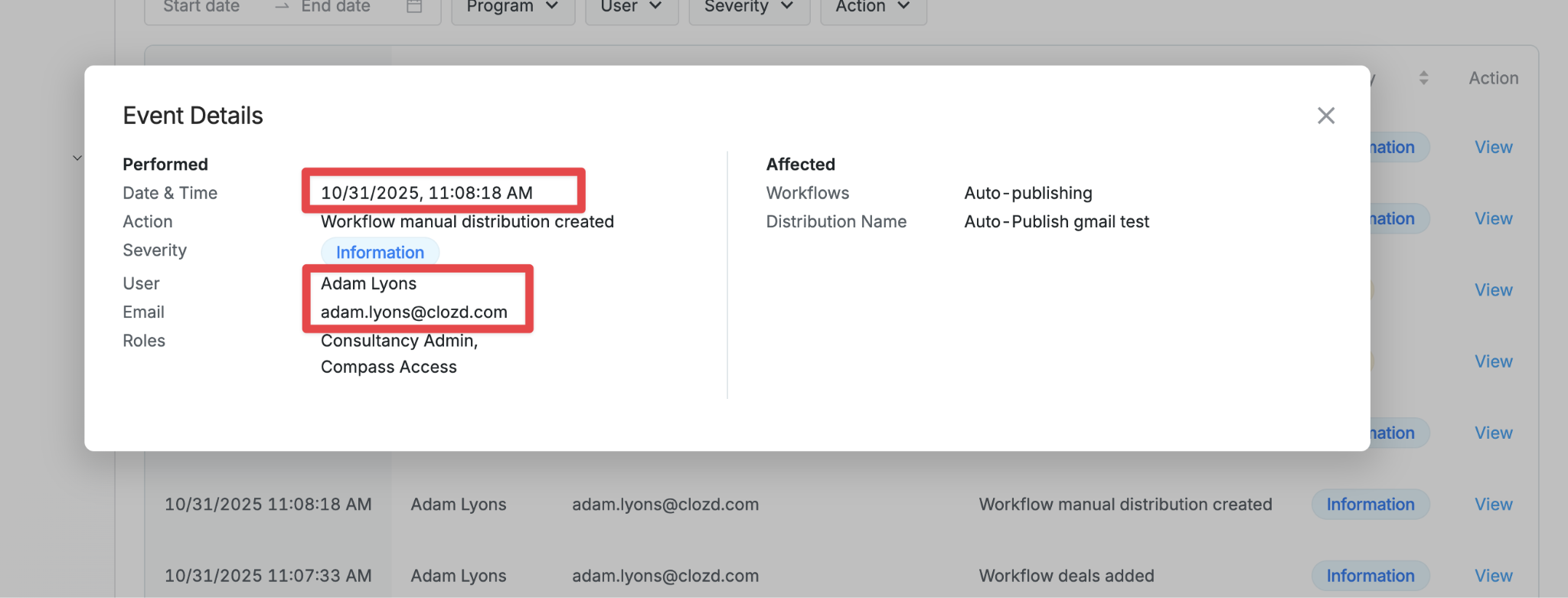
Events fall under the following categories:
User: Single failed login attempt, 5+ failed login attempts in a row, successful login, password changed or reset, new user account created, user deleted
Role: Role created, role deleted, role assigned, role removed
Deal: Data export (CSV)-deals, deal deleted
Tag: Data export (CSV)-tags
Incentive: Incentive added, incentive approved, incentive rejected
Workflow: Workflow participants excluded/rejected, Workflow participants approved, Workflow deals removed, Workflow deals added, Workflow participants included, Workflow settings updated, Workflow evaluate unassigned deals run, Workflow evaluate deals on save run, Workflow manual distribution created
Other: Program created, program deleted, response deleted, participant do not contact added, participant do not contact removed
Note: If the event is dealing with workflows, the Event Details pop up will have an Affected section on the right side. This will include the Workflows affected and associated information.
Incentives
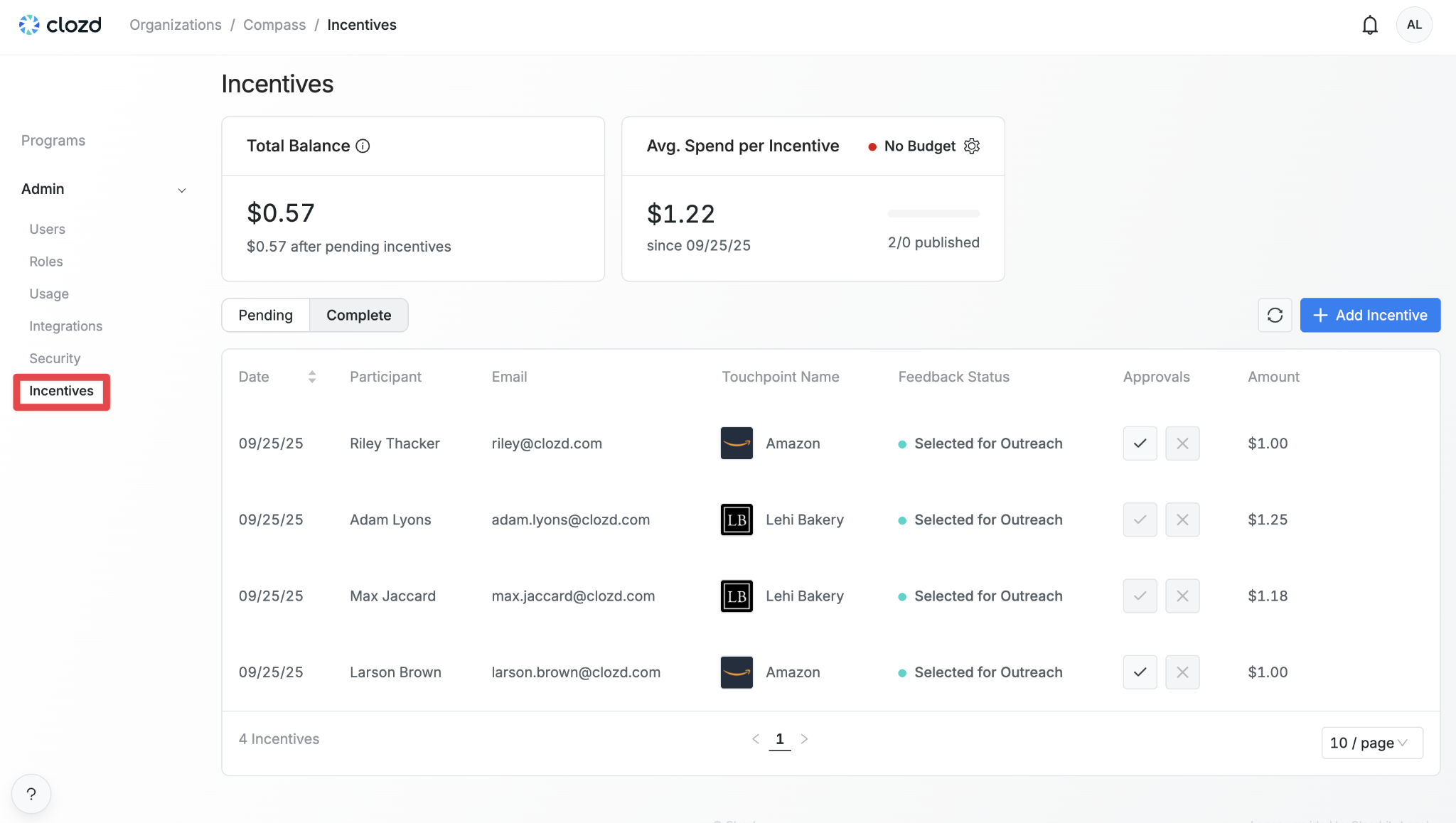
If your organization has Incentive Management enabled, the Incentives section allows admins with incentive management permissions to manage interview incentives. This includes viewing the Total Balance, Average Spend per Incentive, and lists of pending and completed incentives.
Questions?
For additional questions about the Admin tab, please contact support@clozd.com.